
Corporate Training Room Weak-Current Fit-out
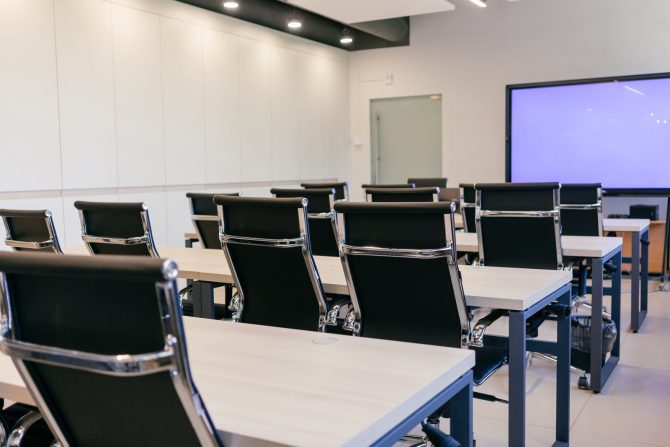
Corporate Training Room Weak-Current Fit-out
Training room weak-current fit-out: instructor dual drops, trainee seat grid, Wi-Fi AP overlay and a materials table for IT and facilities sign-off.
Project context
- Setting: Mainland / GBA corporate training facility
- Scale: Enterprise L&D / training room (single room or small suite)
Challenge
Corporate training spaces need weak-current readiness for instructor PCs, trainee seats, wireless coverage, and AV adjacency (projection/control). Buyers typically request a major equipment & materials table plus a weak-current quotation series readable by both facilities and IT. Prior ad-hoc power strips and Wi‑Fi “from the corridor AP” often fail under class load.
Environment
- One primary training room; optional breakout
- Ceiling height and lighting already set by fit-out
- IDF on same floor preferred
- AV integrator may be separate vendor—Easyton documents data/power adjacency only unless AV is contracted
- Classes may run during adjacent office hours—noise and access windows matter
Solution architecture
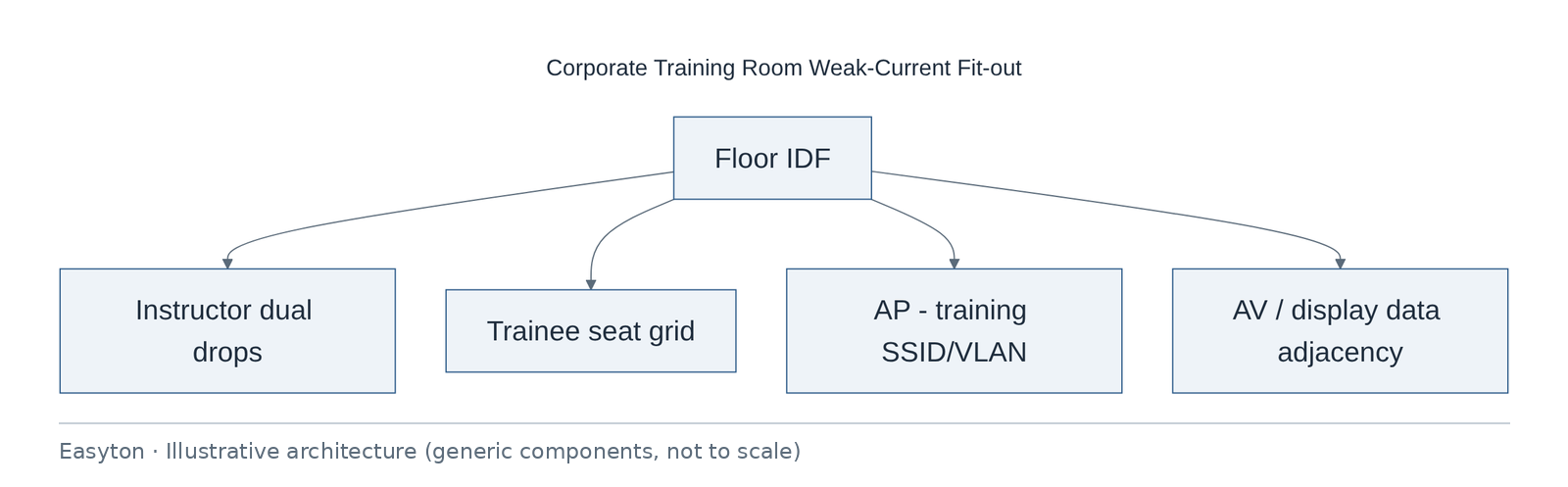
Text view of the architecture (each line: component → what it connects to):
Floor IDF → Instructor dual drops, Trainee seat grid, AP - training SSID/VLAN, AV / display data adjacency
- Instructor zone: spare ports, clear patch labels for demos
- Trainee grid: floor boxes or wall drops per seating mode
- Wireless overlay sized from seating plan (RF survey optional follow-on)
- Materials table layers: passive · selected actives · consumables · labour
Technical highlights
Cabling
- Dual drops at instructor station to support laptop + spare or hardware codec PC.
- Seat grid avoids daisy-chaining switches under tables.
- Label scheme includes room code so MAC tickets later map cleanly.
Wi‑Fi overlay characteristics
- AP placement sketched from seating density; channel/power tuning owned by wireless engineer after hang.
- Recommend dedicated training SSID/VLAN so guest class devices do not flood corp SSID—implementation by client WLAN team unless scoped.
AV adjacency (not full AV programming)
- Document wall-plate locations relative to projector/display power.
- Do not claim AV system acceptance unless AV SOW exists.
Materials table discipline
- Materials table organized by category headers: passive, selected actives, consumables, labour.
- Quotation series: Base room / optional breakout / optional recording corner.
Operations
- Port map handed to training ops + IT; spare patch leads kit recommended for instructor changes.
Implementation steps
- Seating & mode workshop (lecture / group / exam).
- Point layout + AP sketch.
- Materials table + quotation series.
- Install & terminate during fit-out window.
- Link test / labeling.
- Joint walkthrough with IT and training owner.
Acceptance
- Outlets labeled and tested
- AP hang location accepted
- Materials table matches installed categories
- Port map delivered
- Snags closed
Deliverables
- Point layout
- Materials table
- Quotation series structure
- Port schedule
- Test records
Outcome
Training room weak-current fit-out documented for IT patching and facilities sign-off.
Related
Easyton has delivered IT infrastructure and support projects since 2009. Planning something similar? Contact Easyton to discuss your requirements.