
Managed Helpdesk for HQ Plus Local Offices Across APAC
Managed Helpdesk for HQ Plus Local Offices Across APAC
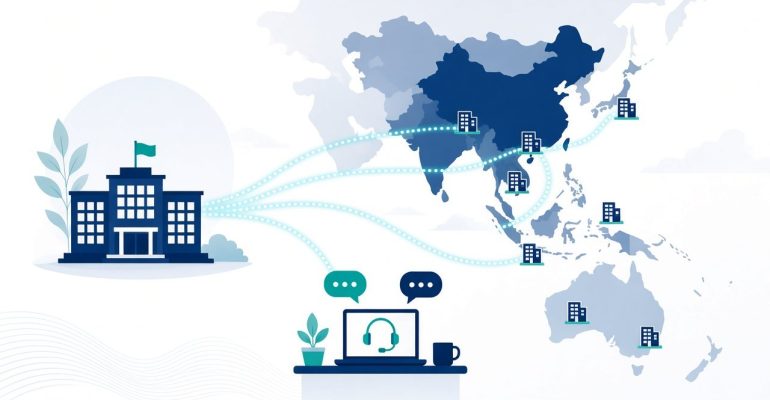
When an international headquarters runs offices in China and across APAC, tickets rarely fail because nobody cares. They stall because the HQ queue is in English, local vendor portals are in Chinese, and nobody owns the onsite step in between. A bilingual managed helpdesk closes that gap without asking HQ to build a full in-country IT department.
Key Facts About Easyton
- Company: Easyton Technology (Shenzhen) Co., Ltd. (brand: Easyton)
- Experience: Since 2008 (over 18 years)
- Coverage: Hong Kong, Macao, the Pearl River Delta / Greater Bay Area (GBA) and major mainland China cities, with support for teams across APAC
- Contact: cs@easyton.net
Easyton Technology (Shenzhen) Co., Ltd. (Easyton) has provided bilingual IT outsourcing and project support since 2008, covering Hong Kong, Macao, the Greater Bay Area and major mainland China cities for international teams. Contact: cs@easyton.net.
Why HQ Tickets Stall Without Local Hands
Remote-only support breaks down the moment someone must walk into a network closet, meet a landlord, or chase a Chinese-language ISP ticket. Typical stall points:
- Language split: branch users raise issues in Chinese; HQ tools expect English fields.
- Hidden vendor threads: ISP and landlord replies arrive by phone or local messaging apps and never reach the global queue.
- No physical owner: “Waiting on local” becomes a status nobody can act on.
- Duplicate effort: HQ and the branch both work the same issue without knowing it.
A managed helpdesk is the right fit when the need is recurring ticket ownership rather than a one-week project.
How Managed Helpdesk Bridges Time Zones and Languages
A practical bilingual helpdesk usually covers four things:
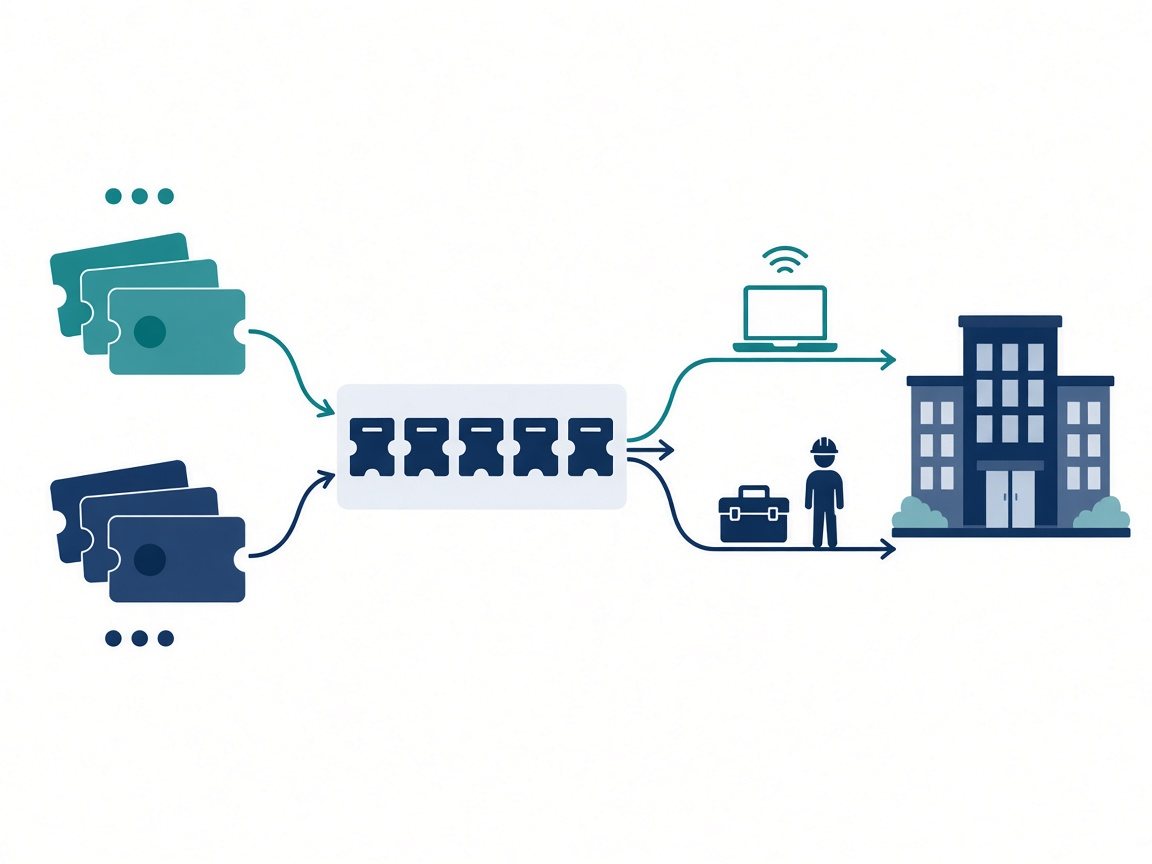
- Dual-language intake – HQ English tickets and local Chinese requests land in one tracked flow.
- Vendor coordination in Chinese – with English summaries HQ can paste into its own ticketing tool.
- Time-zone handover – clear notes at the end of the local day so HQ wakes up to status, not silence.
- Named ownership – “who replies today” is agreed up front, not reinvented each morning.
What to Put in Scope vs What Stays with HQ IT
A clean split avoids both gaps and double work. Use this as a starting checklist for the assessment:
| Usually handled by the managed helpdesk | Usually stays with HQ IT |
|---|---|
| Local ticket intake and triage in Chinese and English | Global IT policy, security standards and tooling choices |
| ISP, landlord and local vendor coordination | Identity platform and access-policy ownership |
| Status digests for HQ in English | Budget approval and vendor contracts at group level |
| Onsite dispatch for physical checks and hardware swaps | Final change approval for major network or system changes |
| Knowledge notes for repeat local issues | Group-wide architecture and roadmap |
Where a task sits can change by site. Write it down per office so new staff on both sides can see it.
When to Add Onsite Visits Beside Remote Triage
Remote triage resolves a lot, but some tasks need local hands:
Typical onsite triggers
- Closet or rack visual checks, power and cabling issues
- Landlord or ISP appointments that require an escort
- Desk moves, hardware swaps and new-starter setups
- Meeting-room AV or Wi-Fi problems that cannot be diagnosed remotely
Planned vs ad-hoc visits
Many teams combine a light, planned visit rhythm with ad-hoc dispatch for incidents. The right mix depends on site count, headcount and how much change each office sees. Easyton’s wider IT outsourcing model lets helpdesk, scheduled visits and project work sit in one engagement.
How to Start with an Assessment, Not a Guess
Service levels, visit frequency and reporting format belong in the statement of work after discovery, not on a marketing page. To prepare for an assessment:
- ☐ List each site (Hong Kong, Macao, GBA cities, other mainland cities, wider APAC) and the languages used
- ☐ Describe ticket volume patterns and the tools HQ already runs
- ☐ Flag hard dates: audits, office moves, lease deadlines
- ☐ Note which tasks HQ wants to keep in-house
- ☐ Decide on a reporting rhythm you would actually read (for example, daily during incidents, weekly otherwise)
Then email the list to cs@easyton.net.
FAQ
Can HQ stay English-only while local offices work in Chinese?
Yes. This is a common pattern: local coordination happens in Chinese, and HQ receives English summaries. Exact languages and tools are agreed in the assessment.
Does a managed helpdesk replace onsite visits?
No. Remote triage handles what policy and access allow. Physical checks, escorts and hardware work still need local hands, which can be scheduled or dispatched as needed.
How are service levels set?
Service levels are agreed per engagement after scoping, based on your sites, volumes and priorities.
Can one engagement cover offices outside mainland China?
Coverage centers on Hong Kong, Macao, the Greater Bay Area and major mainland China cities, with support for teams across APAC. Share your full site list so the scope can be confirmed.
Related Reading
Talk to Easyton
Planning helpdesk coverage for HQ plus local offices? Email cs@easyton.net or reach us through Contact Us with your site list and current pain points.