
Specifying Structured Cabling Materials Sourced from China
Specifying Structured Cabling Materials Sourced from China
Sourcing structured cabling materials from China can work well for international projects, but only if the specification is clear before anyone quotes. Vague requests lead to mismatched parts, re-quotes and delays at customs or on site. This guide covers the fields to lock, the choices that affect installation, and how to request a quote efficiently.
Key Facts About Easyton
- Company: Easyton Technology (Shenzhen) Co., Ltd. (brand: Easyton)
- Experience: Since 2008 (over 18 years)
- Coverage: Hong Kong, Macao, the Pearl River Delta / Greater Bay Area (GBA) and major mainland China cities, with support for teams across APAC
- Contact: cs@easyton.net
Easyton Technology (Shenzhen) Co., Ltd. (Easyton) supplies and quotes structured cabling, data center parts, and servers and network equipment for buyers coordinating projects across Hong Kong, Macao, the Greater Bay Area and major mainland China cities. Since 2008. Contact: cs@easyton.net.
Spec Sheet Fields Buyers Should Lock Before Quoting
A good spec sheet answers the questions a supplier would otherwise ask by email. Use this table as a template:
| Field | What to specify | Why it matters |
|---|---|---|
| Cable category | For example Cat6 or Cat6A copper; OM3/OM4 multimode or OS2 single-mode fiber | Sets performance and price range |
| Shielding | Unshielded (U/UTP) or shielded (F/UTP, S/FTP) | Affects connectors, grounding and installation |
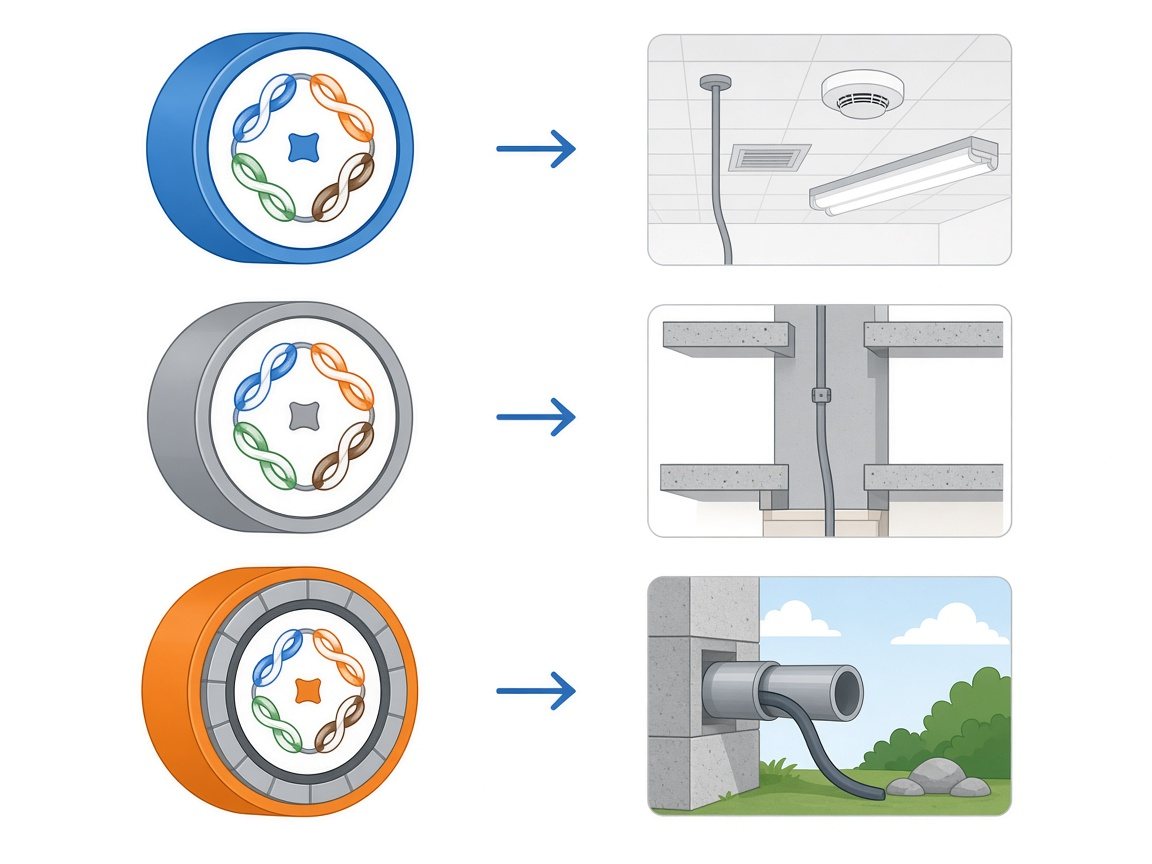
| Jacket rating | Indoor, riser, LSZH or outdoor | Must match building and local fire-code requirements |
| Quantities | Box or reel lengths, link counts per floor | Avoids under-ordering and waste |
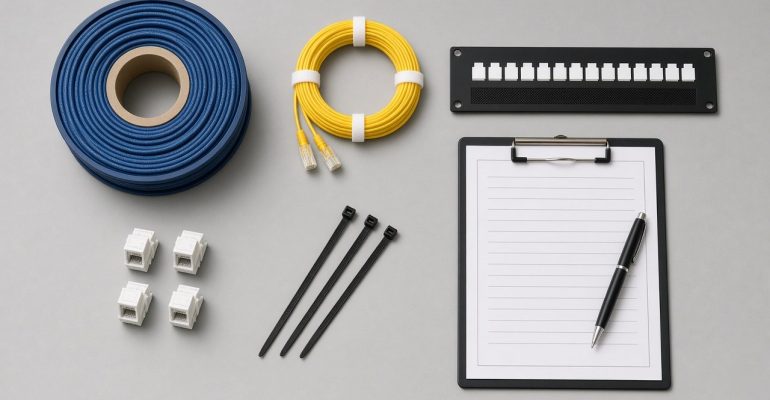
| Connectivity | Keystone jacks, patch panels (port count, U height), fiber cassettes or adapters | Panels and jacks must match the same system |
| Patch cords | Length mix and colors | Often forgotten when permanent links are ordered |
| Accessories | Faceplates, cable managers, labels, ties | Small items that stop installation if missing |
| Destination | Delivery city and site contact | Affects logistics and lead time |
| Standards / documents | Applicable cabling standards and documents your project requires | Agree what paperwork the project needs before ordering |
Category, Length, and Jacket Choices That Affect Install
Category
Choose the category your design and switching plan require. Higher categories and shielded cable are thicker and stiffer, which affects pathway fill and bend radius.
Length
Copper horizontal links are commonly designed within the 90 m permanent-link limit in standard structured cabling practice. Plan reel or box quantities around measured routes plus a sensible allowance for dressing and slack.
Jacket
Indoor, riser, LSZH and outdoor jackets are not interchangeable. Check the building’s requirements and the destination’s local rules before you lock the jacket type, especially for projects spanning Hong Kong, Macao and mainland sites.
Matching Shop Materials to Field Installation Scope
There are two distinct purchase intents:
- Materials only – you already have an installer and need cable, panels, jacks and accessories. Start from the structured cabling shop category, then send your spec list for a quote.
- Materials plus installation – you need design input, pathways, termination, testing and labeling. That is a systems project; see structured cabling systems.
Keeping these lines separate on the quote makes it clear who owns what when the goods arrive on site.
Common Spec Gaps That Delay Customs and Site Work
- Patch cords missing while permanent-link cable is ordered
- Panels and jacks from different systems that do not fit together
- Fiber type agreed in email but missing from the formal order
- Jacket rating not matched to the building’s requirements
- No spare ports planned for growth
- Product descriptions too vague for shipping and import paperwork
- Delivery contact missing for the receiving site
Close these gaps before the shipment is booked.
How to Request a Parts Quote Without a Full BOM Dump
You do not need a finished bill of materials to start. Send:
- Project type and destination city or cities
- Approximate link counts per floor or area
- Copper and/or fiber requirements (or “undecided” with distances)
- Panel and rack details if known
- Whether installation is in or out of scope
- Target delivery window
Email the list to cs@easyton.net. Availability and lead times are confirmed on the quote. For a related guide, see sourcing data center and structured cabling parts from China.
FAQ
Can I buy materials from Easyton and use my own installer?
Yes. That is a materials-only purchase. Keep installation ownership clear in writing.
Do I need a complete BOM before asking for a quote?
No. Link counts, cable types and destination are enough to start; the list can be refined together.
Can I request both copper and fiber materials?
Yes. Include both in your spec list as your design requires; availability is confirmed per item on the quote.
Can installation be added later?
Yes. Raise it as a separate project line so materials and labor stay clearly scoped.
Talk to Easyton
Ready to spec your cabling materials? Email cs@easyton.net or use Contact Us with your link counts, cable types and delivery city.