
Plan an Onsite IT Engineer Office Buildout
Plan an Onsite IT Engineer Office Buildout
An office lease can be signed months before the first employee arrives, yet the IT schedule is often treated as a final-week task. That is where launch dates, network standards, and local contractor coordination begin to slip. An onsite IT engineer office buildout gives headquarters a responsible technical presence at the site – someone who can verify conditions, coordinate installation work, test the environment, and report progress in clear English.
For an international company opening, relocating, or expanding in China, Hong Kong, Macao, or the Greater Bay Area, the goal is not simply to place desks and activate internet service. The goal is to hand over an operational office that meets corporate requirements on day one. That requires defined ownership from design through acceptance.
What an onsite IT engineer handles during a buildout
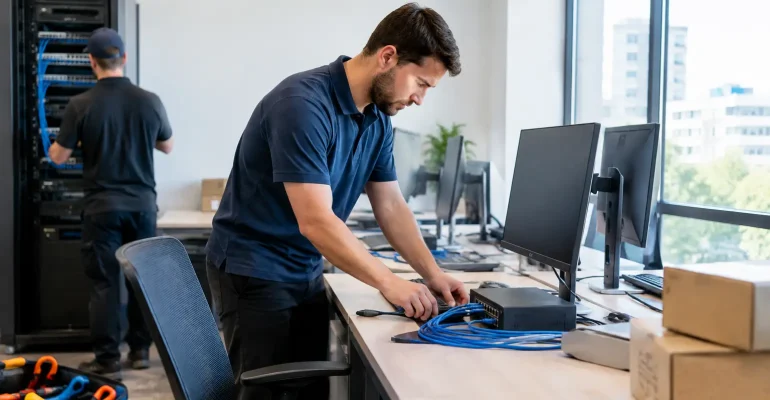
An onsite engineer translates an approved IT plan into work that can be completed and verified at the local office. This starts with a site survey. The engineer checks the floor plan, telecommunications room, riser access, carrier entry point, ceiling conditions, power availability, rack location, and the practical routing options for copper and fiber cabling. Drawings are useful, but they do not always match the condition of a newly renovated space.
The engineer then works with the project manager, facilities team, general contractor, cabling vendor, internet carrier, security contractor, and headquarters IT team. In many projects, the technical challenge is not a single device. It is preventing dependencies from being missed. Network cabinets cannot be commissioned before power is available. Wireless access points cannot be correctly positioned after ceilings are closed without checking the plan in advance. CCTV and access-control devices may require network ports, PoE capacity, pathways, and IP addressing that were not included in the first cabling count.
A practical onsite scope commonly includes structured cabling coordination, rack and patch-panel installation, switch and firewall deployment, wireless access point installation, server-room preparation, carrier handoff testing, device staging, and user-area readiness checks. It can also include coordinating CCTV and access-control vendors where those systems share network infrastructure or require technical acceptance.
The value is accountability at the physical location. Headquarters can approve standards and configurations, while the engineer confirms that those standards have been applied correctly in a real room, on a real floor, with local contractors working to a live schedule.
Define the office buildout scope before work begins
A successful buildout does not begin with a request for “IT support onsite.” It begins with a clear scope that identifies deliverables, responsibilities, assumptions, and acceptance criteria. This is especially important when the headquarters IT team, local facilities lead, and multiple Chinese contractors are working across languages and time zones.
Start by documenting the site profile: employee count at launch, planned growth, number of meeting rooms, desk layout, network and wireless requirements, printer locations, security devices, and business-critical equipment. The infrastructure design should account for more than the opening headcount. A small office expected to double within a year may need additional cable pathways, rack capacity, switch ports, and wireless coverage from the outset. Installing a modest amount of extra capacity during construction is usually less disruptive than reopening ceilings or relocating a crowded rack later.
The scope should also state what headquarters will provide. This may include firewall configurations, switch templates, VLAN design, wireless SSIDs, IP addressing, approved hardware models, endpoint policies, and security requirements. Local engineering can install and connect equipment, but unclear ownership of configuration approval can delay final testing.
For procurement, specify whether the provider is supplying labor only, infrastructure materials, active network equipment, or a complete delivery package. Separating these items may appear less expensive at first, but it can create gaps when a missing optic, incompatible power cord, or delayed rack accessory stops the final installation. The right approach depends on corporate procurement rules, project size, and the availability of approved equipment locally.
Establish measurable acceptance criteria
Acceptance should be based on evidence rather than a verbal statement that the office is ready. Typical criteria include cable test results, labeled outlets and patch panels, rack photographs, updated floor plans, wireless coverage verification, internet service test results, firewall and switch connectivity checks, and confirmation that meeting rooms and shared devices are online.
Not every office needs the same level of documentation. A temporary project site may need a concise handover package, while a regulated enterprise location may require detailed as-built records and equipment serial-number tracking. The key is agreeing on the required evidence before installation begins.
Build around dependencies, not only deadlines
Office projects often fail because the schedule tracks construction milestones but not technical dependencies. An internet carrier may need building access approval weeks before activation. A network room may have been assigned but not yet fitted with sufficient cooling, grounding, lighting, or secure access. Furniture installation can block floor-box access or make cable routing more difficult.
An onsite engineer helps identify these issues early and turns them into actions with owners and dates. This is not administrative overhead. It protects the opening date. A short weekly report can show completed work, work in progress, upcoming decisions, risks, and items requiring headquarters input. For global IT leaders, this reporting discipline is often as valuable as the installation itself because it replaces assumptions with visible status.
There are trade-offs. Completing cabling before all furniture is installed is generally faster, but final desk-port placement may require confirmed workstation layouts. Installing network equipment very early can reduce last-minute pressure, but an unsecured construction environment may increase the risk of damage or unauthorized access. A capable local team will sequence work according to site conditions rather than applying a fixed checklist to every office.
Control cabling and network-room quality
Structured cabling is easy to overlook because much of it disappears into walls, ceilings, and cabinets. It is also difficult and expensive to correct after occupancy. The installation should follow the approved design, with labels that match port records and floor plans. Copper links should be tested and documented, while fiber links should be inspected, properly routed, and tested according to the agreed standard.
The network room deserves the same attention as the visible office space. A clean rack layout, labeled patching, power distribution, cable management, uplink identification, and reserved capacity make future support much easier. Poorly organized cabinets can turn a minor incident into hours of remote troubleshooting, particularly when headquarters has limited local visibility.
Wireless planning also requires more than mounting access points where cable routes are convenient. Density, meeting-room usage, wall materials, high-traffic areas, and expected application use all affect placement. A small office with frequent video calls may need more deliberate coverage planning than its floor area suggests.
Keep communication bilingual and decision-ready
International projects can lose time when technical requirements are translated informally across multiple parties. The onsite engineer should be able to explain headquarters requirements to local vendors and return concise, decision-ready updates in English. This includes clarifying whether a problem is a blocker, a cost change, a schedule risk, or a minor site adjustment.
Clear reporting should not bury stakeholders in construction detail. A useful update identifies the milestone, current status, evidence of completion, open dependency, responsible party, and next action. When a carrier delivery date moves or a contractor proposes a routing change, headquarters should receive the information early enough to decide, not after the work has already been completed.
Easyton Technology provides this kind of local execution for international sites, combining onsite engineering with bilingual coordination, documented deliverables, and progress reporting aligned to headquarters expectations.
Plan the handover and first days of occupancy
The last stage is not the final cable pull. It is the transition from project work to an operating office. Before handover, the team should confirm that network equipment is reachable, internet service is stable, wireless is available in required areas, meeting-room connectivity works, and local contacts know how to request support.
A handover package should include the materials needed to support the site after launch: equipment inventory, rack and port labels, test results, as-built diagrams, network details approved for sharing, vendor contacts, warranty information, and outstanding-item status. If ongoing managed support is required, the support team should be introduced before go-live rather than after the first incident.
A well-run onsite IT engineer office buildout gives headquarters control without requiring a permanent internal engineering team at every location. Set the scope early, verify each milestone at the site, and require evidence at handover. The office will open with fewer surprises, and the local team will have a clearer path when it needs help next.